
Download JotPro – AI‑Powered Content Creation Tool for Writers, Businesses & Marketers
Overview – Why JotPro Is Changing the Content Landscape
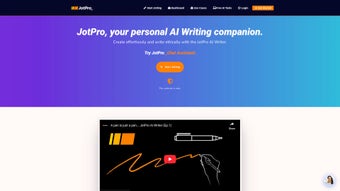
JotPro is an AI‑driven web application built specifically for writers, agencies, and anyone who needs high‑quality, SEO‑friendly copy on a tight schedule. Unlike generic text generators, JotPro blends advanced language models with a suite of specialized tools that cover the entire content lifecycle: from brainstorming a catchy headline to polishing a technical white‑paper, and even generating supporting visuals. The platform operates on a subscription model, granting users unlimited access to a growing library of templates for articles, blog posts, ads, social media snippets, video scripts, and more.
In addition to the core writing engine, JotPro offers a chat‑assistant that delivers instant answers to research questions, a built‑in image generator powered by diffusion models, and dedicated SEO modules that suggest keyword placement, meta descriptions, and readability scores. Free resources such as a blog generator, title creator, and niche‑specific content generators give prospective users a taste of the platform’s capabilities before committing. By automating repetitive tasks and providing contextual suggestions, JotPro helps creators focus on strategy and storytelling rather than getting bogged down in the mechanics of writing.
The result is faster turnaround, higher engagement, and a measurable lift in search rankings—all while maintaining a consistent brand voice.
Feature Set – What Makes JotPro Stand Out
- AI Content Generator: Produce long‑form articles, blog posts, and newsletters in seconds with adjustable tone, length, and audience parameters.
- Template Library: Over 150 ready‑to‑use templates covering SEO articles, ad copy, LinkedIn posts, YouTube scripts, product descriptions, and technical documentation.
- Chat Assistant: Real‑time conversational AI that can answer research queries, suggest outlines, or rewrite sections on the fly.
- Image Generation: Integrated diffusion‑based tool to create royalty‑free illustrations, social graphics, and thumbnail images that match your copy.
- SEO Optimizer: Automated keyword analysis, meta‑tag suggestions, readability scoring, and plagiarism checking to keep content search‑engine friendly.
- Technical Writing Mode: Structured output for manuals, API docs, and white‑papers, complete with tables, code snippets, and citation handling.
- Collaboration Hub: Multi‑user workspaces, version history, and comment threads that streamline editorial workflows for teams.
- Free Generators: Stand‑alone tools such as a blog title creator, tagline generator, and niche content prompts available without a subscription.
- Secure Cloud Storage: All drafts are saved in encrypted servers with automatic backup and export options (PDF, DOCX, HTML).
- Regular Updates: Monthly model improvements, new templates, and feature rollouts keep the platform ahead of industry trends.
Installation, Compatibility & Real‑World Pros & Cons
Getting Started – Simple Installation & First‑Run Guidance
JotPro is a web‑based SaaS, so there is no traditional download or installation process. Users simply sign up at jotpro.com, choose a subscription tier, and gain immediate access through any modern browser (Chrome, Edge, Firefox, Safari). For teams that prefer a desktop‑like experience, JotPro offers progressive web‑app (PWA) support—click “Install App” from the browser toolbar to create a shortcut that runs in its own window, offline‑caches recent drafts, and provides push notifications for collaboration updates. The onboarding wizard walks new users through account setup, template selection, and API key generation for developers who want to integrate JotPro into their own CMS or marketing stack.
Operating System Support
Because JotPro runs in the cloud, it is fully compatible with Windows 10/11, macOS Ventura and later, Linux distributions, as well as mobile platforms such as Android 12+ and iOS 15+. The responsive UI adapts to tablets and smartphones, letting writers draft on the go without sacrificing feature depth. The PWA version works across all platforms that support Service Workers, making the experience consistent whether you’re on a desktop or a handheld device.
Pros and Cons – Balanced View for Decision‑Makers
- Pros
- All‑in‑one solution: writing, editing, SEO, and image generation in a single dashboard.
- High‑quality AI output that can be fine‑tuned with tone, style, and audience controls.
- Extensive template library reduces time spent on structure and formatting.
- Collaboration tools streamline team workflows and version control.
- Secure cloud storage with GDPR‑compliant encryption.
- Regular feature updates keep the platform cutting‑edge.
- Cons
- Subscription cost may be higher than basic text generators for solo freelancers.
- Reliance on an internet connection; offline editing is limited to cached drafts.
- Learning curve for advanced SEO and technical writing modules.
- Image generation credits are shared across the subscription tier, which could limit high‑volume visual needs.
Overall Rating: 4.5/5 – JotPro delivers a robust, AI‑enhanced writing environment that saves time and boosts SEO performance, making it a worthwhile investment for serious content creators.
FAQ – Frequently Asked Questions About JotPro
Is there a free trial or a free tier for JotPro?
Yes. JotPro offers a 7‑day free trial with full access to all premium features. Additionally, a limited‑functionality free tier provides access to basic content generators, title creators, and a handful of templates without a credit card.
Can I export my content to other formats?
Absolutely. Drafts can be exported as DOCX, PDF, HTML, or plain text. You can also push content directly to WordPress, HubSpot, or any platform that supports API integration.
How does JotPro ensure the content is SEO‑friendly?
The built‑in SEO Optimizer analyzes target keywords, suggests optimal placement, provides a readability score, and flags duplicate content. It also generates meta titles, descriptions, and schema markup snippets ready for publishing.
Is my data safe on JotPro’s cloud servers?
JotPro uses AES‑256 encryption for data at rest and TLS 1.3 for data in transit. The platform is GDPR‑compliant and offers two‑factor authentication to protect user accounts.
Can I integrate JotPro with my existing CMS or marketing stack?
Yes. JotPro provides RESTful APIs and webhooks that allow seamless integration with WordPress, Drupal, HubSpot, Marketo, and custom-built platforms. Documentation and sample code are available in the developer portal.
Conclusion – Take the Next Step with JotPro
JotPro consolidates the fragmented world of content creation into a single, AI‑powered hub. Whether you’re a solo freelancer looking to boost productivity, a marketing team that needs consistent brand messaging, or a technical writer aiming for precise documentation, JotPro’s blend of writing assistance, SEO optimization, and visual generation delivers measurable results. The subscription pricing reflects the depth of features and the ongoing improvements rolled out each month. If you’re ready to cut down on manual drafting, improve search visibility, and keep your creative workflow secure and collaborative, sign up for the free trial today and experience the future of content creation.






